

At a glance
HighLevel’s Missed Call Text Back feature is included across all platform tiers starting at $97 per month, but outbound messages incur usage-based SMS charges. When an inbound call goes unanswered past your ring timeout, the platform automatically texts the caller from an eligible number to acknowledge the call and continue the conversation via SMS.
In this guide
How Missed Call Text Back Works
When an inbound caller reaches your HighLevel phone number and hangs up or reaches voicemail after the incoming call timeout, the Missed Call Text Back feature automatically triggers an outbound SMS. Answered calls do not trigger this follow-up.
The system evaluates incoming calls based on two core telephony controls configured in your sub-account:
- Incoming call timeout: A slider typically set between 10 and 20 seconds. If nobody answers before this duration expires, HighLevel flags the call as missed and initiates the text response. A very short timeout risks triggering messages for callers who would have waited, while a very long timeout delays response delivery.
- Voicemail greeting: You can upload an audio file (.mp3 or .wav) to serve as a custom greeting. The missed-call text fires alongside this process so the caller receives immediate visual confirmation even if they choose not to leave audio voicemail.
Contacts configured with Do Not Disturb (DND) status or explicit communication opt-outs are respected; HighLevel will not dispatch an automated SMS to those numbers.
Smarter Sending Number Selection
Inbound calls frequently arrive through numbers that cannot send outbound text messages, such as call tracking pools, unverified toll-free lines, or voice-only forwarding numbers. To prevent delivery failures, HighLevel evaluates available account numbers in a prioritized four-step order:
| Priority | Sending Number Selected |
|---|---|
| 1 | The exact number the caller dialed, provided it is verified and SMS-capable. |
| 2 | A number within the sub-account that has previously exchanged successful text messages with that contact. |
| 3 | The location’s designated default outbound number. |
| 4 | Any other verified, messaging-ready number available in that sub-account location. |
Because of this routing hierarchy, a lead might call a tracking line but receive a text message from your primary verified outbound number. If no messaging-capable number exists in the location—or if 10DLC or toll-free verification has not been completed—the attempt fails and logs an error in the contact’s unified conversation thread.
What Does Missed Call Text Back Cost?
The software functionality itself is part of HighLevel’s core CRM features and does not require a paid add-on. As outlined in our HighLevel pricing breakdown, software subscriptions cost:
- Agency Starter: $97 per month (or $970 billed annually) for up to 3 sub-accounts.
- Agency Unlimited: $297 per month (or $2,970 billed annually) for unlimited sub-accounts.
- Agency Pro: $497 per month (or $4,970 billed annually) for SaaS rebilling features.
However, outbound messages are not free. HighLevel separates software subscription fees from telecommunications usage. Every missed-call SMS consumes standard carrier messaging usage credits according to destination carrier rates, message segment length, and regulatory registration compliance (such as A2P 10DLC profile fees in the United States). Agencies on Unlimited or Pro plans can manage these underlying costs or re-bill them to clients via HighLevel phone re-billing settings.
Basic Settings Setup vs. Custom Workflow Automation
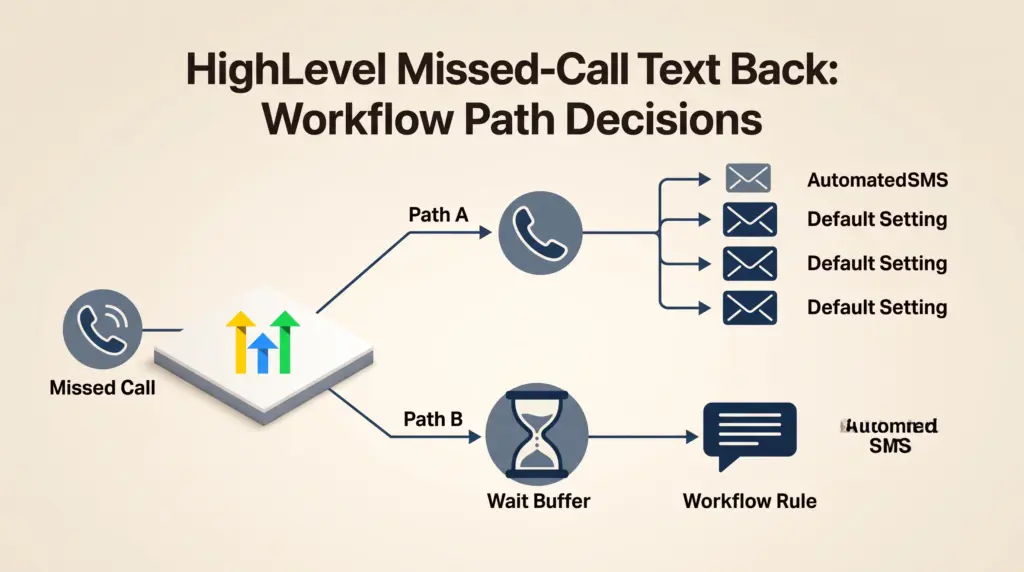
HighLevel provides two distinct methods to configure missed-call follow-ups: the built-in system toggle and custom workflow automations.
Option 1: The Native Settings Toggle
For simple single-location setups needing immediate response handling, configure the feature directly:
- Open your sub-account and select Settings in the bottom-left corner.
- Navigate to Phone System → Voice → Voicemail & Missed Call Text Back → Missed Call Text Back.
- Check the box to Enable Missed Call Text Back.
- Click Customize to craft your message. You can include dynamic contact merge fields, though these only populate if the caller already exists as a contact record.
- Send a test SMS to preview delivery formatting, then click Save.
Option 2: Advanced Workflows (Preventing Message Loops)
A notable limitation of the default toggle is that it fires an SMS for every missed call. If a lead calls three times within five minutes, the default toggle will send three identical text messages in rapid succession.
To prevent spamming leads, leave the basic setting disabled and build a recipe within HighLevel’s automation engine (explained in detail in our HighLevel workflow triggers and actions guide):
- Trigger: Set the trigger event to Call Status with the call direction set to Inbound and status set to Missed, Busy, or No Answer.
- Time Buffer (Wait Step): Insert an automation rule that checks if the contact received a missed-call tag within the past 15 to 30 minutes.
- Tagging: Tag the contact (e.g., missed-call-text-sent) to gate subsequent rapid calls.
- Multi-Channel Escalation: You can build branches that notify team members via internal app notifications or route after-hours calls into an interactive calendar booking link.
Documented Limitations
- Repeated Inbound Calls: The standard toggle lacks rate-limiting filters; implementing safeguards against repeat callers requires building a workflow.
- Dynamic Field Matching: Merge tags (such as contact first name) only populate if the caller’s phone number matches an existing CRM record. First-time callers receive blank values if tags are not configured with fallback text.
- SMS Only: The standard feature only dispatches SMS. Messaging missed callers over third-party channels requires HighLevel’s separate Missed Call WhatsApp Back feature or a custom workflow.
- Regulatory Verification: Messages cannot send if the sub-account lacks an approved sending number (e.g., unapproved A2P 10DLC registration or unverified toll-free lines).
Who Should Use Which Method?
Use the Built-In Settings Toggle if: You are a solo operator with low call volume who wants a fast, five-minute setup without configuring multi-step workflow logic.
Use Workflow Automations if: You manage higher inbound volume, run digital ad campaigns where prospects might call repeatedly, or want to route inbound replies into structured appointment pipelines.
For teams testing telecommunications, eligible accounts can evaluate platform tools through a HighLevel 30-day free trial, though standard telecommunications usage fees still apply during trial periods.
Sources and further reading
Research checked 2026-11-03. Product details can change.