

At a glance
GetResponse AI features suit solo creators and small marketing teams seeking faster campaign drafting without third-party prompt tools. However, the Starter tier restricts core AI tools to just 3 lifetime uses, making higher plans necessary for ongoing production workflows.
Artificial intelligence tools are embedded directly across the GetResponse campaign workflow. Rather than operating as standalone add-ons, these assistants draft newsletter copy, test subject lines, and assemble landing page layouts within the core editing interfaces. Choosing the right setup requires understanding where documented usage ceilings apply and where generation remains unrestricted.
In this guide
How GetResponse AI Tools Work Across Workflows
The platform distributes generative assistance across three primary marketing tasks:
- AI Email Generator: Produces structured newsletter drafts based on prompts describing business goals, audience type, and visual tone.
- AI Subject Line Generator: Analyzes draft content or keywords to produce headline variations aimed at improving open rates.
- AI Page Builder: Assembles complete landing page layouts, drafting initial copy and section arrangements from user prompts rather than starting from blank templates.
On higher plans such as Enterprise, GetResponse also incorporates specialized machine learning modules like AI product recommendations for e-commerce. For a broader breakdown of core tiers, consult our GetResponse pricing guide.
Plan Tier Limits: The 3-Use Cap vs. Unlimited AI
While marketing collateral highlights AI capabilities across all packages, tier-specific limitations fundamentally alter day-to-day utility. According to documented GetResponse plan specifications, access thresholds split along subscription tiers.
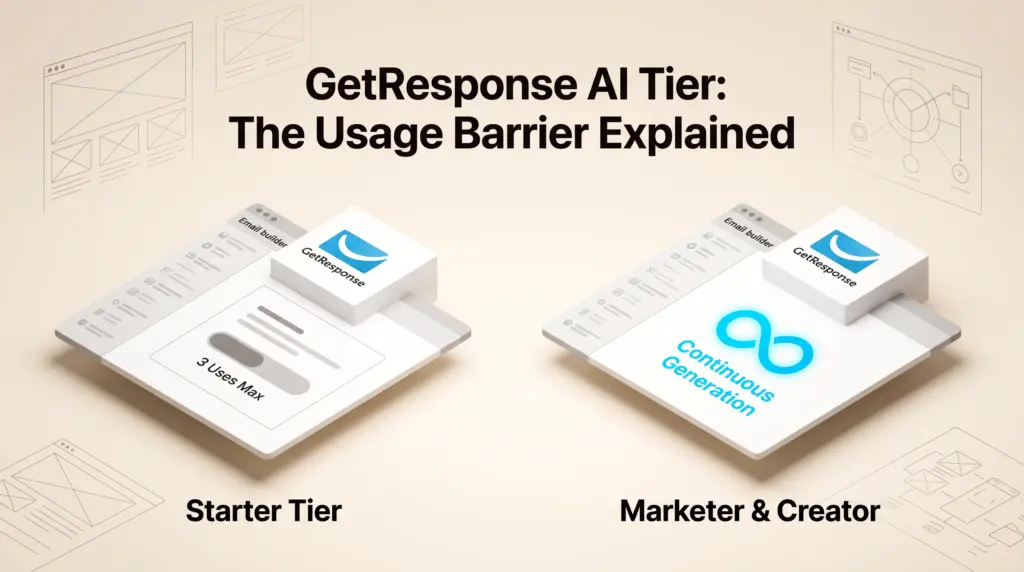
On the entry-level Starter plan ($19 per month billed monthly, or $15.58 per month on an annual commitment), the AI email generator, AI subject line generator, and landing page AI creator are restricted to up to 3 uses. Once those three generations are exhausted, users must design manually or rely on standard predesigned templates.
Upgrading to the Marketer plan ($59 per month monthly; $48.38 per month billed annually), Creator plan ($69 per month monthly; $56.58 per month billed annually), or custom Enterprise plan lifts this constraint, unlocking unlimited landing page AI creation alongside expanded marketing features. Teams weighing Starter against higher tiers can read our detailed GetResponse Starter vs. Marketer comparison.
| Feature | Starter Plan | Marketer Plan | Creator Plan | Enterprise Plan |
|---|---|---|---|---|
| AI Email Generator | Up to 3 uses | Unlimited access | Unlimited access | Unlimited access |
| AI Subject Line Generator | Up to 3 uses | Unlimited access | Unlimited access | Unlimited access |
| Landing Page AI Creator | Up to 3 uses | Unlimited access | Unlimited access | Unlimited access |
| Landing Pages & Visitors | Unlimited | Unlimited | Unlimited | Unlimited |
| Team Seats Included | 3 users | 5 users | 5 users | Unlimited |
| AI Product Recommendations | No | No | No | Yes |
Documented Limitations and Workflow Trade-Offs
Before relying on GetResponse AI features for full production, evaluate these documented constraints:
- Starter Plan Usage Caps: The 3-use ceiling on the Starter tier serves as a preview rather than a permanent production utility. Teams requiring regular copy assistance quickly hit this boundary.
- Trial Account Watermarking: Users exploring tools via the 14-day free trial will find a GetResponse badge attached to outbound messages, and trial landing pages are capped at 1,000 unique visitors per month.
- Manual Refinement Requirement: Generative layouts and newsletter copy require human review for brand voice, regulatory compliance, and link verification before broadcasting.
- Advanced E-Commerce Exclusions: Machine learning capabilities like automated AI product recommendations remain exclusive to Enterprise quotes, leaving lower tiers reliant on manual product boxes.
Worked Decision Example: Solo Consultant vs. Boutique Agency
To illustrate how plan mechanics dictate tier selection, consider two common operational scenarios.
Scenario A: Solo Consultant Publishing Twice Monthly
Assumptions: A freelancer needs a single landing page and sends bi-weekly text newsletters to 800 contacts. They intend to write their own emails after testing the initial setup.
Recommendation: The Starter tier ($15.58 per month billed annually, or $19 monthly) suffices. The 3-use AI allotment can generate the initial landing page foundation and first campaign structure. Because ongoing sending does not require monthly AI generation, paying for Marketer is unnecessary.
Scenario B: Boutique Agency Managing Weekly Campaigns
Assumptions: A two-person team drafts 6 to 8 marketing emails per month across various promotions and launches new campaign funnels bi-weekly.
Recommendation: The Starter tier will fail within the first two weeks due to the 3-use cap. The agency requires the Marketer plan ($48.38 per month billed annually, or $59 monthly) to obtain unlimited landing page AI creation and continuous generator availability, alongside expanded automation rules and up to 5 user seats.
Who Each Option Suits
- Starter Plan: Best for solo operators and bootstrapped projects that only need a one-time generative jump-start to build their initial page and welcome message before writing manually.
- Marketer Plan: Best for active marketing teams and e-commerce stores requiring recurring automated drafting, subject line brainstorming, and rapid landing page generation.
- Creator Plan: Best for educators and digital product sellers who want full AI generation combined with course hosting and webinar tools. Explore our GetResponse Creator plan breakdown for course limits.
- Enterprise Plan: Best for larger businesses requiring tailored infrastructure, dedicated IP warm-up, and predictive AI product recommendations.
Next Steps
Begin by testing the AI generation quality inside the 14-day free trial to ensure the draft output matches your niche. If your team plans to rely on AI tools for weekly drafting, budget directly for the Marketer tier to avoid exhausting the Starter plan’s 3-use ceiling.
Sources and further reading
Research checked 2026-10-15. Product details can change.