


At a glance
To evaluate HighLevel within 30 days, systematically configure your platform across four weekly milestones: establish account settings and sub-accounts in Week 1, deploy lead capture forms and calendar booking in Week 2, test workflow automations and conversations in Week 3, and audit deliverability, pipeline tracking, and usage fees in Week 4 before billing begins.
Adopting an all-in-one platform like HighLevel is a significant operational shift for freelancers and small agencies. When evaluating the tool—such as during an extended HighLevel 30-day free trial—aiming to build an entire client agency overnight often leads to unfinished configurations and unvalidated pipelines. A structured 30-day evaluation checklist ensures you test foundational features before committing to ongoing software subscriptions.
In this guide
Week 1: Account Infrastructure and Sub-Account Provisioning
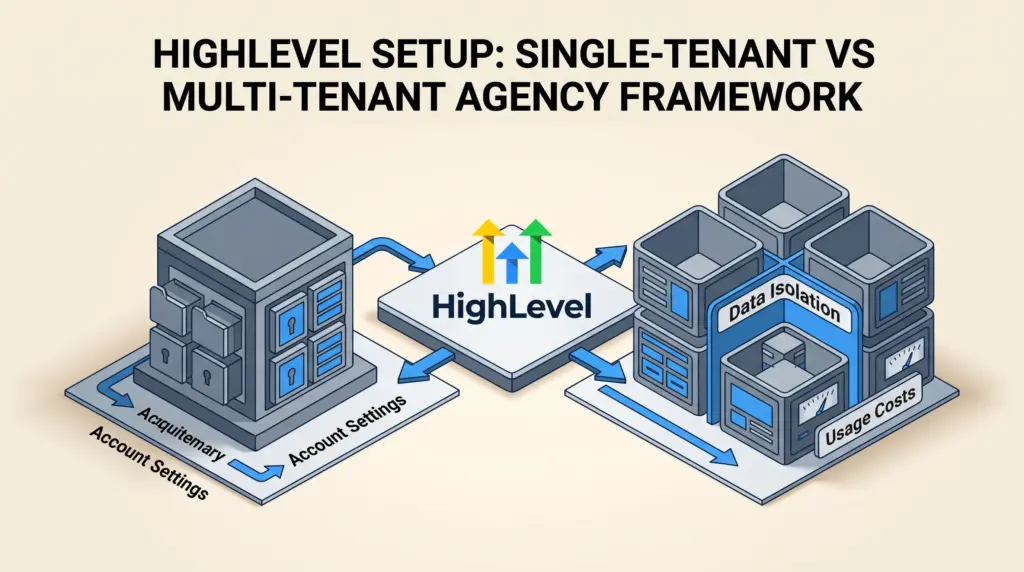
HighLevel operates on a two-tier hierarchy: the agency-level dashboard and individual client or brand workspaces called sub-accounts. Your first week should focus entirely on establishing these administrative foundations rather than building marketing campaigns.
- Define your workspace structure: HighLevel isolates customer data, custom fields, and integrations inside sub-accounts. Before migrating data, establish whether your business needs a single sub-account for internal operations or separate containers for multiple client brands, as detailed in our guide to HighLevel sub-account management.
- Configure company settings and custom fields: Add required standard information and configure custom field properties early. According to documented HighLevel behavior, custom fields added to forms or settings are saved across the workspace, but any field name containing the word “score” is hardcoded by the platform to behave as a numeric scoring element.
- Set deduplication rules: In your account settings, specify contact deduplication preferences to determine how the platform merges or isolates contacts when duplicate email addresses or phone numbers submit forms.
Week 2: Lead Capture and Calendar Configuration
Once administrative parameters are set, Week 2 centers on capturing inbound data and booking appointments without relying on external point solutions.
- Build a standardized contact form: Navigate to Sites → Forms → Builder to construct a capture form. The builder supports standard fields (First Name, Last Name, Email, Phone, Message) as well as draggable custom fields (dropdowns, checkboxes, date pickers, monetary inputs, and file uploads).
- Configure notifications and redirects: Within the Form Builder, set internal email notifications to alert team members and define post-submission behavior, such as showing a confirmation message or redirecting visitors to a booking page.
- Deploy booking calendars: Build an appointment calendar directly inside HighLevel to replace external scheduling apps. Sync team availability, buffer times, and meeting locations using the documented parameters outlined in our HighLevel booking calendars guide.
- Test data ingestion: Submit test entries through the form and verify that new contact records populate immediately in the CRM with all mapped custom fields intact.
Week 3: Workflows, Messaging Channels, and Unified Inbox
Week 3 evaluates whether HighLevel’s core engine—its automation and communications hub—can replace standalone email marketing and SMS dispatch tools.
- Build a multi-step follow-up workflow: Use the “Form Submitted” workflow trigger to initiate automatic follow-ups. Test sequential actions such as sending a confirmation email, adding contact tags, assigning an opportunity stage, and notifying a team member. You can explore full trigger and action logic in our HighLevel workflow automation guide.
- Integrate communication channels: Connect dedicated phone numbers and email sending domains. Incoming SMS, calls, and emails funnel into a single stream, which you can evaluate using our breakdown of the HighLevel unified inbox.
- Validate conditional logic: Add branch conditions in your workflows based on custom field selections or lead responses to ensure contacts follow distinct nurturing paths.
Week 4: Pipeline Testing, Usage Costs, and Decision Review
The final week of your evaluation must focus on live validation and commercial assessment before any recurring billing initiates.
- Run end-to-end pipeline simulations: Move test leads across pipeline deal stages. Confirm that opportunity values update correctly and that appointment status changes trigger reminder sequences.
- Audit telephony and email charges: Review your billing consumption. External messaging usage (SMS, telephony minutes, carrier registration fees, and email volume) incurs third-party consumption costs independent of HighLevel’s core subscription tier. Review our analysis of HighLevel phone and email re-billing if you plan to pass these costs to clients.
- Decide on subscription tiers: Compare your actual operational requirements against plan limits. Determine whether your team needs the entry-level tier or broader scale by referencing our breakdown of HighLevel Starter vs. Unlimited and our full HighLevel pricing guide.
30-Day Evaluation Milestone Checklist
The following checklist summarizes the documented setup milestones required to determine platform viability within 30 days:
| Timeline | Configuration Milestone | Validation Objective |
|---|---|---|
| Week 1 | Sub-account setup, custom fields, deduplication preferences | Ensure account structure and contact merging rules match business operations. |
| Week 2 | Form Builder (Sites → Forms), appointment calendars | Verify automated contact record creation and schedule synchronization. |
| Week 3 | Workflows (Form Submitted trigger), SMS, email sending | Confirm multi-channel notification delivery and conditional automation logic. |
| Week 4 | Opportunity pipeline staging, communication usage audit | Assess deal tracking accuracy and quantify carrier/telephony variable costs. |
Documented Platform Limitations to Monitor
During your 30-day evaluation, account for several documented platform constraints:
- Separate communication usage costs: HighLevel subscription plans cover software access, but outbound SMS, voice calling minutes, phone number rentals, and email volume incur separate usage charges that apply even during trial periods.
- Custom field locking: After you save a newly created custom field within the Form or Survey Builder, its unique key and system name are locked from inline editing and must be managed via account-level custom field settings.
- Hardcoded scoring fields: Any custom field containing the word “score” is permanently interpreted by HighLevel as a numeric scoring element across forms, surveys, and quizzes.
- Carrier compliance lead times: Telephony features require A2P 10DLC brand and campaign registration for US messaging, which requires external vetting and verification delays before SMS throughput is fully active.
Who HighLevel Suits (and Who Should Look Elsewhere)
HighLevel suits marketing agencies, consultancies, and multi-service small teams that manage multiple client brands and want to consolidate their CRM, funnels, calendar scheduling, and automated messaging into a single billing structure.
Conversely, solo freelancers who only need basic newsletter broadcasting or simple payment processing often find HighLevel unnecessarily complex. If your workflow requires minimal automation and basic funnels without agency sub-accounts, lightweight alternatives such as those detailed in our HighLevel vs. systeme.io comparison may provide a simpler, lower-maintenance setup.
Frequently Asked Questions
Can I test contact forms without embedding them on an external website?
Yes. HighLevel provides direct form share links within the form integration settings, allowing you to preview and submit test entries without hosting them on an external domain.
What happens to data created during a 30-day evaluation trial?
All sub-accounts, forms, contact records, and workflows built during an active evaluation remain intact if you transition into a paid subscription plan. If you cancel prior to trial completion, access to the workspace terminates.
Next Steps
To begin your evaluation, outline the core third-party tools you intend to replace—such as standalone calendar schedulers, form builders, and pipeline managers. Set up a single test sub-account, work through the Week 1 configuration checklist, and audit your communication deliverability before rolling the platform out across your full client roster.
Sources and further reading
Research checked 2026-10-29. Product details can change.