

At a glance
Make Pro suits solo operators, advanced freelancers, and technical specialists who need custom variables, parallel processing, and elevated API limits without paying for multi-user governance. Make Teams suits growing agencies and small departments that require distinct team roles, shared permission controls across apps and scenarios, higher file size ceilings (up to 500 MB), and high-priority execution during peak queuing periods.
In this guide
Understanding the Core Architectural Split: Pro vs. Teams
Make structures its automation platform around credits, operational constraints, and administrative boundaries. While entry-level tiers focus on baseline execution, the step from Pro to Teams shifts the software from an individual power tool into a collaborative business utility. Understanding how both tiers handle workload execution and team access prevents paying for governance you do not use or hitting execution bottlenecks during traffic surges.
On both tiers, you retain core Make capabilities such as unlimited active scenarios, a 1-minute minimum scheduling interval, a 40-minute maximum run time per scenario execution, and access to more than 3,000 standard apps. Both plans also support the Make Code App (at 2 credits per second of execution time), subscenarios, and custom variables to manage data across multiple workflows. You can review the foundational credit and scenario models in our Make pricing and credits guide.
However, the differences become significant when looking at execution queuing, file processing ceilings, public API rate limits, and administrative controls over who can build, view, and modify automated workflows.
Execution Priority and Processing Ceilings
When dozens or hundreds of webhooks and schedules fire at once, automations enter an execution queue. The tier of your workspace directly affects how your runs are prioritized during platform-wide peak usage periods, as well as the technical constraints on payloads.
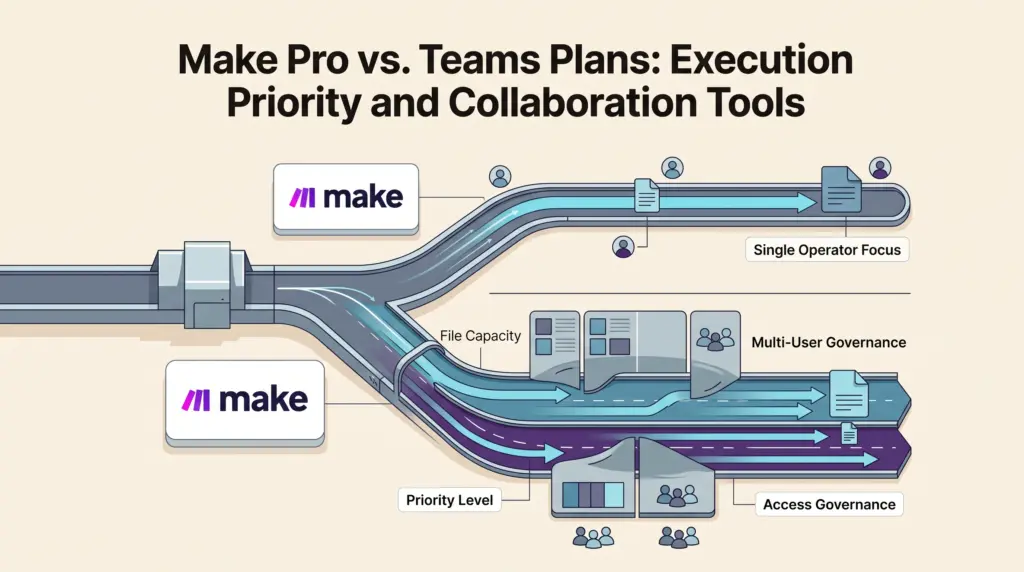
- Priority Scenario Execution: Make Pro provides standard priority execution, which places your runs ahead of Free and Core tiers during peak hours. The Teams plan elevates your account to High Priority execution, minimizing queue wait times for time-sensitive customer-facing automations.
- File Size Limitations: If your scenarios automate document generation, image processing, or audio transcription, payload size matters. Pro caps automated files at 250 MB per run, whereas Teams doubles that threshold to 500 MB. To explore how file caps impact complex workflows, see our analysis of Make execution limits and data transfers.
- Platform API Rate Call Limits: If you orchestrate scenarios externally via Make’s public API endpoints, the Pro tier permits up to 120 calls per minute. The Teams tier doubles this limit to 240 calls per minute, allowing deeper external management and programmatic workflow deployment.
- Parallel Processing: Both tiers allow parallel scenario execution, ensuring multiple incoming webhook events or dataset iterations process simultaneously rather than queuing sequentially.
Collaboration, Governance, and Permissions
The defining structural distinction between Pro and Teams lies in how accounts handle multiple builders and operational assets. Automation workflows often hold sensitive credentials, API keys, and client database connections that require controlled access.
Teams and Team Roles
On the Pro plan, automation management remains consolidated at the workspace level. While individual users can be added across Make spaces, granular segmentation is absent. Teams introduces dedicated team roles and team-level spaces. Organization owners can manage unlimited team permissions covering scenario apps, templates, and connections. This enables organizations to separate departments—such as isolating client billing webhooks from marketing lead generation—ensuring team members access only the connections relevant to their responsibilities.
Scenario and Connection Security
When working in shared environments, connection management is a frequent point of friction. Under the Teams plan, shared connections can be granted without exposing underlying credentials, allowing junior builders or external contractors to build scenarios using an authenticated module without viewing the underlying API token. In contrast, simpler setups on Pro rely on workspace-level visibility, which requires careful manual auditing when multiple freelancers touch the same account.
Feature Comparison: Pro vs. Teams
The following table synthesizes the operational, governance, and infrastructure parameters documented on the Make pricing page.
| Operational Metric | Make Pro Plan | Make Teams Plan |
|---|---|---|
| Scenario Execution Priority | Priority | High Priority |
| Maximum File Size | 250 MB | 500 MB |
| Make API Rate Limit | 120 calls/minute | 240 calls/minute |
| Active Scenarios | Unlimited | Unlimited |
| Minimum Run Interval | 1 minute | 1 minute |
| Max Scenario Run Time | 40 minutes | 40 minutes |
| Execution Log Retention | 30 days | 30 days |
| Team Permissions & Roles | Basic / Workspace level | Full Teams & Team Roles |
| Customer Support Tier | Technical support | High-priority guidance |
| Data Transfer Allowance | 5 GB per 10k credits | 5 GB per 10k credits |
Technical Limitations to Note
While moving from Pro to Teams unlocks collaboration features, several operational factors remain identical across both tiers:
- Execution Log Storage: Both Pro and Teams store detailed scenario execution logs for 30 days. Teams requiring longer compliance histories (up to 60 days) or deep audit logs must consider Enterprise tiers.
- Data Transfer Ratios: Data transfer allowances remain locked at 5 GB per 10,000 monthly credits across all paid tiers. Upgrading from Pro to Teams does not give you more gigabytes per credit; you must monitor payload efficiency using routers and filters as detailed in our guide to Make routers and filters.
- Single Sign-On (SSO): Company SSO (SAML2/OAuth2), domain claiming, and custom organization roles remain Enterprise-exclusive features and are not included in standard Teams plans.
- Queueing Latency: While Teams receives High Priority scenario execution over Pro, execution times can still fluctuate based on external third-party API responsiveness, rate limits imposed by receiving apps, or webhook ingestion spikes. For mission-critical endpoints, pairing high priority with robust recovery designs is essential, as explained in our overview of Make error handling and retries.
Who Each Plan Suits Best
When to Stick with Make Pro
Make Pro is the optimal choice for:
- Solo Automation Consultants: Freelancers building automations for themselves or managing single-client accounts where separate departmental permission tiers are unnecessary.
- Moderate API Workloads: Users whose incoming payloads stay well below 250 MB and who require fewer than 120 calls per minute against the Make API.
- Lean Budgets: Teams that want access to custom variables, subscenarios, and the Make Code App without paying a premium for team permission structures. If you are currently assessing the lower tiers, check our guide on Make Free vs. Core plans to verify when crossing into Pro makes sense.
When to Upgrade to Make Teams
Make Teams becomes necessary for:
- Boutique Agencies and Consultancies: Service providers that share access with multiple contractors or clients and need to partition scenario templates, connections, and credentials using team roles.
- Time-Critical Workflows: Businesses managing transactional operations—such as live checkout notifications or on-demand data lookups—where High Priority execution reduces queuing delays during peak internet traffic periods.
- Heavy Media Automations: Workflows that manipulate large documents, datasets, or video files between 250 MB and 500 MB.
- Multi-App Internal Operations: Organizations that want dedicated guidance from technical support consultants to configure large automations across cross-functional groups.
Next Steps for Your Setup
- Audit Active Payload Sizes: Check your historical scenario runs for file-handling steps. If any routine transfers approach or exceed 250 MB, the Teams plan is required to prevent fatal execution timeouts.
- Evaluate User Access Needs: Review who accesses your Make dashboard. If you need to isolate specific API connections so non-technical staff or external freelancers cannot edit or view master credentials, configure team roles under the Teams tier.
- Map Webhook Timing Requirements: For systems where delays directly impact user experience, verify your queue behavior. If your webhook runs face congestion during peak hours, test whether the High Priority execution on Teams resolves your delivery latency.
- Consider External Architecture: If your team outgrows shared cloud platforms or faces strict privacy constraints, compare your configuration against self-hosted alternatives in our analysis of Make vs. n8n.
Sources and further reading
Selected Make plan constraints corrected against the official pricing comparison on 29 October 2026. Other sections retain their earlier research date.
Research checked 2026-10-04. Product details can change.