

At a glance
NordVPN secures remote work across public Wi-Fi networks by routing device traffic through encrypted servers and providing a Kill Switch to prevent data exposure. However, standard accounts assign rotating shared IP addresses that can trigger authentication flags on sensitive client portals, and consumer subscriptions lack centralized administrative controls or multi-seat team governance.
Remote freelancers and independent professionals frequently connect to untrusted local networks in coffee shops, coworking hubs, airports, and hotels. While an encrypted tunnel shields sensitive client files and credential transmissions from local eavesdropping, consumer VPN architecture operates differently from managed enterprise networks. Understanding how NordVPN features function in practical remote work workflows helps you decide whether a standard subscription covers your operational risks or if you require dedicated business infrastructure.
In this guide
How NordVPN Protects Remote Work on Public Wi-Fi
Unsecured Wi-Fi access points expose unencrypted local network traffic to rogue hotspots, packet inspection, and man-in-the-middle exploits. Activating NordVPN encrypts outbound and inbound data across desktop and mobile devices before traffic leaves your hardware.
Key protective mechanisms relevant to mobile work routines include:
- Next-Generation Encryption: Wraps web activity, email syncs, and file transfers in an encrypted tunnel, obscuring active sessions from local router administrators and third parties on the same network.
- Network Kill Switch: Blocks device internet traffic immediately if the VPN connection drops unexpectedly, preventing background applications from broadcasting plain-text data. For setup nuances, see our guide on NordVPN Kill Switch and Split Tunneling.
- Split Tunneling: Enables you to route latency-sensitive video conferencing or local network printing directly through your ISP connection while keeping cloud databases and browser sessions protected inside the tunnel.
- Threat Protection: Inspects web traffic to help filter malicious domains, tracking scripts, and intrusive ads before they load on client devices.
Account Access, Device Allowances, and Sharing Rules
A single NordVPN subscription allows simultaneous connections on up to 10 devices (NordVPN Features). While this allowance provides generous coverage for an individual professional carrying a laptop, tablet, and mobile phone, it is critical not to confuse a device limit with a multi-user team license.
Consumer accounts are anchored to a single Nord Account login protected by multi-factor authentication (MFA). Distributing credentials among collaborators or contractors creates security risks because every user shares account administrative access, password resets, and payment details. If you manage an expanding team requiring individual user logins, activity audits, or centralized billing, provider parent company Nord Security directs businesses toward dedicated enterprise products like NordLayer rather than standard consumer plans.
For independent contractors who simply need to manage their own hardware, our breakdown on NordVPN device limits and router setup details how to optimize multiple endpoints under one login.
Remote Work Limitations and Access Conflicts
Deploying a consumer VPN in daily client work introduces specific hurdles that remote workers must plan around:
1. Shared Dynamic IP Blocks and Verification Captchas
By default, NordVPN routes traffic through shared servers alongside thousands of other users. Because major SaaS providers, banking platforms, and client admin dashboards monitor incoming IP reputation, shared IP addresses often trigger automated security re-verifications, multi-factor prompts, or temporary login blocks. Solopreneurs handling strict backend systems frequently resolve this by adding a private static address, as outlined in our review of NordVPN Dedicated IP benefits.
2. Client-Specific Intranet and Enterprise VPN Clashes
If your clients require you to log into their proprietary corporate network (such as Cisco AnyConnect, GlobalProtect, or OpenVPN profiles), running NordVPN at the system level simultaneously will cause network routing collisions. You must either disconnect your commercial VPN during client network sessions or configure split tunneling to exempt client connections.
3. Peer-to-Peer Device Collaboration Gaps
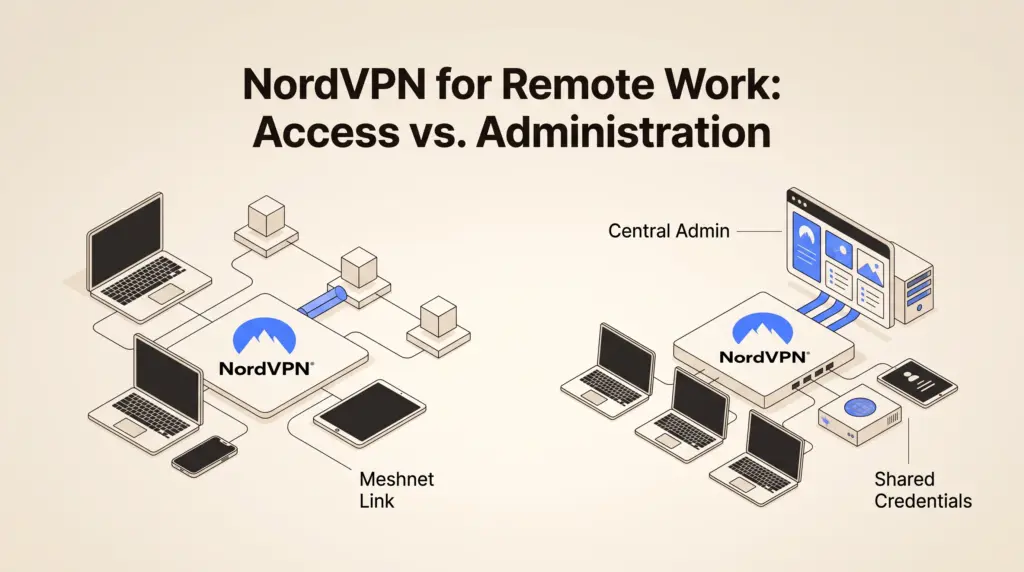
A standard VPN connection routes you out to the wider web; it does not automatically link remote coworkers into a shared local-area workspace. Freelancers who need to share development environments or transfer files directly between distributed computers can leverage NordVPN Meshnet to link private devices securely without opening public server ports.
Consumer NordVPN vs. Business Infrastructure Needs
| Capability | Standard NordVPN Account | Enterprise Solution (e.g., NordLayer) |
|---|---|---|
| Primary Use Case | Individual privacy, public Wi-Fi defense | Centralized company access, team network policy |
| Connection Limits | Up to 10 active devices per account | Per-seat user licensing |
| IP Architecture | Shared rotating IPs (Dedicated IP optional) | Static company gateways and team servers |
| User Management | Single login credential | Central admin console with SSO and role control |
| Billing & Renewals | Per-account consumer tiers (see NordVPN plan prices) | Per-seat commercial invoicing |
Actionable Checklist: Hardening Remote Work on Public Networks
This checklist outlines practical verification steps to follow before opening sensitive work files on untrusted Wi-Fi connections:
- Activate the System Kill Switch: Ensure the native desktop app is configured to cut internet connectivity if the server tunnel drops.
- Confirm DNS Leak Protection: Verify your network adapter uses NordVPN’s private DNS resolvers rather than local café or airport router DNS.
- Configure Split Tunneling: Whitelist software that requires low-latency local streaming or strict ISP binding while keeping web browsers and mail clients inside the tunnel.
- Enable MFA on Your Nord Account: Secure the primary account login with an authenticator app to protect billing and linked device sessions.
- Bookmark Alternative Nearby Servers: Identify secondary regional servers in advance to avoid latency spikes during high-demand business hours.
Who It Suits
Recommended for: Freelancers, consultants, and solo remote workers who travel frequently, work from unmanaged public spaces, and want reliable encryption against local network eavesdropping across up to 10 personal devices.
Not recommended for: Agencies and small teams that require role-based access management, unified corporate compliance auditing, centralized seat billing, or native integration with company identity providers.
Next Steps
If your primary objective is securing your own remote laptops and smartphones across coffee shops and transit hubs, review standard subscription commitments in our guide to NordVPN monthly prices and renewals. If your operation requires connecting shared testing environments without configuring routers, review our overview of private Meshnet device connections.
Sources and further reading
Research checked 2026-11-05. Product details can change.